
Get the Player on any device
The free app included with every plan — live channels, the EPG guide, and your full on-demand library, on whatever screen you're watching from.
One app, every channel and title
The Apollo Group TV Player is the app that turns your subscription into something you actually watch — live channels with a full program guide, your on-demand library, and everything else included in your plan, built specifically for TV remotes and touch screens alike.
It's free with every plan, updates itself automatically, and is available for every major device — see supported devices below, or jump straight to installing it.
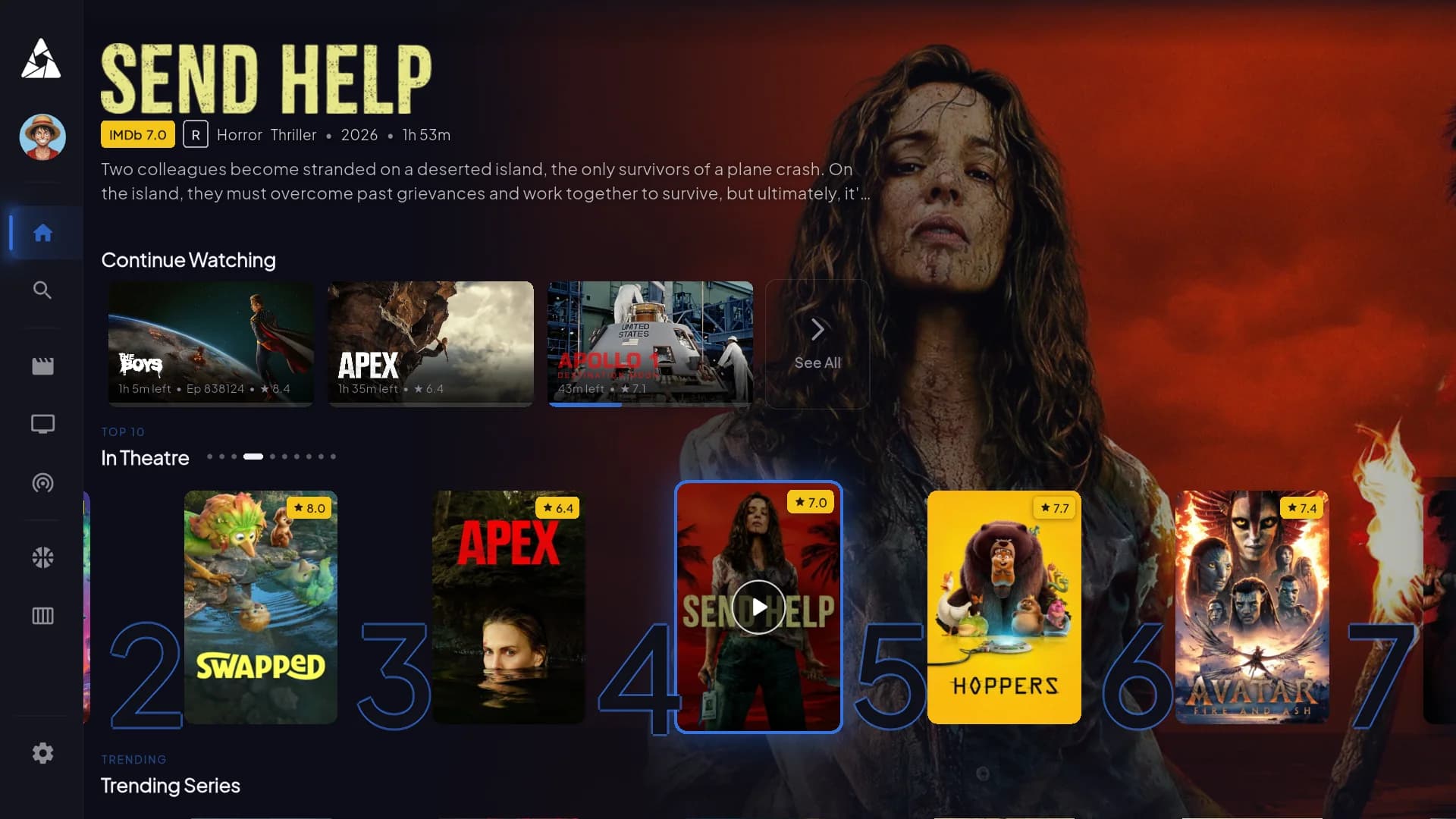
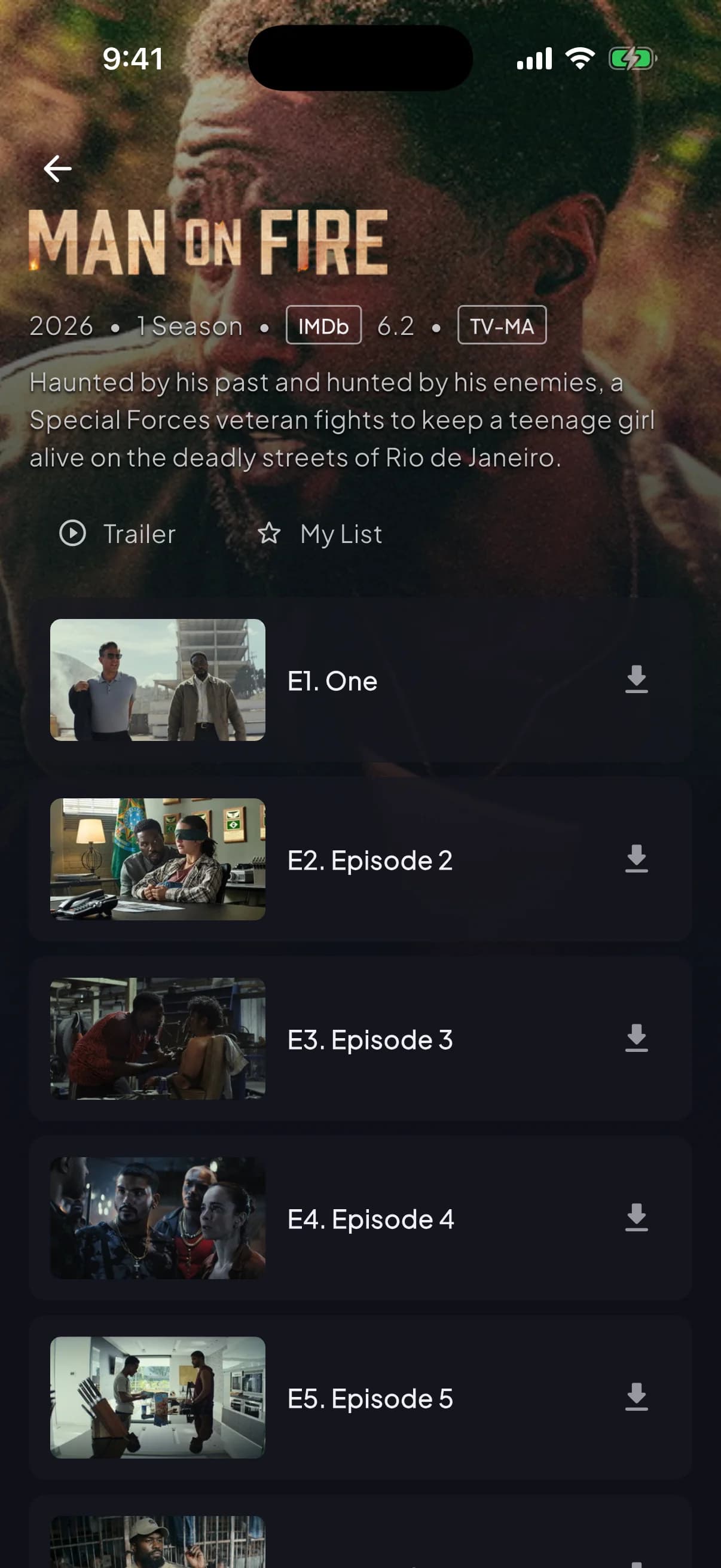
Works on the devices you already have
One Player, built and tested for every major streaming platform.
Smart TVs
Samsung, LG, and other major Smart TV platforms via the built-in app store.
Amazon Firestick & Fire TV
Sideload in minutes using the Downloader app and your personal code below.
Android TV boxes
Any Android TV device — Nvidia Shield, Mi Box, and generic Android boxes.
Android phones & tablets
Install directly via the Downloader code, no Play Store listing required.
iOS & iPadOS
A dedicated app for iPhone and iPad, available through our activation email.
MAG & Enigma2 devices
Full support for MAG set-top boxes and Enigma2 satellite receivers.
Built for how you actually watch
Everything included in the app itself, no extra add-ons.
Live TV with EPG
A full 7-day electronic program guide so you always know what's on and what's next.
Multi-profile & kids mode
Separate profiles per household member, with a restricted kids mode for family viewing.
Custom playlists
Organize channels and VOD titles into your own playlists across every device.
Rich detail pages
Cast, synopsis, and episode info for movies and series, pulled in automatically.
Favorites & continue watching
Pick up exactly where you left off, and pin your most-watched channels to the top.
Multi-language subtitles & audio
Switch subtitle and audio tracks per title, wherever multiple tracks are available.
Get the Player on your device
Fire TV and Android devices install through the Downloader app using the code below — no app store listing needed. Smart TV, iOS, and other platforms are covered in your activation email.
Downloader code
2791705
Install the Downloader app
On your Fire TV, Android TV, or Android device, install "Downloader" from the Amazon Appstore or Google Play if you don't already have it.
Enter your code
Open Downloader, type the code 2791705 into the address bar, and select Go.
Install the Player
Downloader fetches the Apollo Group TV Player package automatically — select Install when prompted, then Done.
Activate & watch
Open the Player, enter the activation details from your welcome email, and you're streaming.
Watch the full installation walkthrough
Prefer to follow along visually? This walkthrough covers the Downloader code, install, and activation steps above from start to finish.
Questions about the Player app
Setup and device questions specific to the app.
For billing or subscription questions, see our general FAQ. Not subscribed yet? View plans.
It's the dedicated app you install on your streaming device to watch your Apollo Group TV subscription — live channels, the EPG guide, and the full on-demand library, all in one interface built for TV and mobile screens.
Fire TV and Android devices can't install the Player from an app store, so we distribute it through the Downloader app instead. Entering the code fetches the correct install package directly — no sideloading files manually.
Smart TVs, Amazon Firestick and Fire TV, Android TV boxes, Android phones and tablets, iOS and iPadOS, and MAG and Enigma2 receivers. See the supported devices section above for details per platform.
No — the Player is included with every Apollo Group TV subscription plan at no extra cost. You just need an active plan and your activation details to sign in.
Double-check you're entering it in the Downloader app's address bar (not a search engine), and that you have a working internet connection on the device. If it still fails, contact support and we'll get you a direct install link instead.
Yes, you can install it on as many devices as you like — how many can stream simultaneously depends on your plan. Check your plan details or ask support if you're not sure.
The Player checks for updates automatically on launch. If a new version is available, you'll see an in-app prompt to update — no need to repeat the Downloader steps.
Apollo Group TV customer support — 24/7 live help
Activation issues, device setup, or a channel acting up — chat with a real support agent any time, day or night. No ticket queues.
Start live chatLive Chat
Online now
Ready to cut the cord?
22,000+ channels and 90,000+ movies & series, fully licensed, activated in minutes.